
The footage that makes everything else work
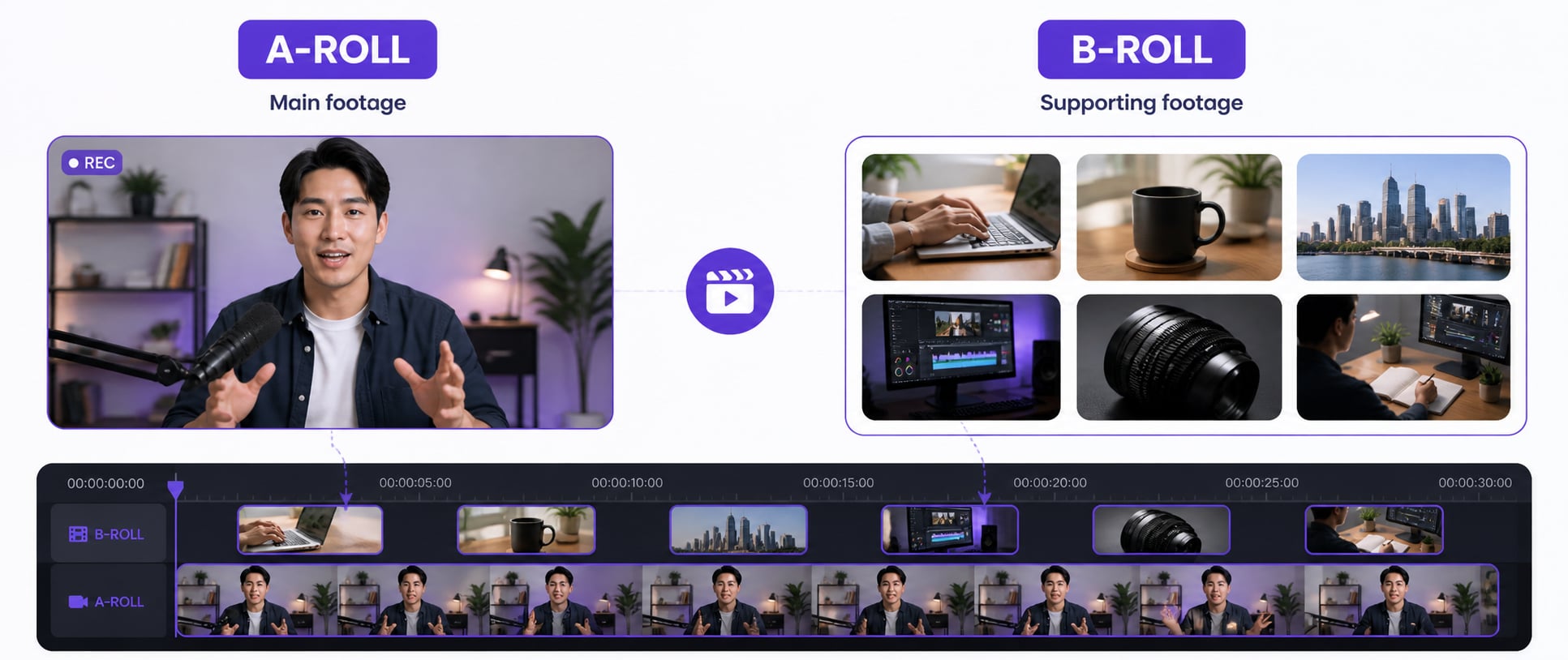
B-roll is any shot that isn’t your main content. If you’re filming an interview, the interview is A-roll. The close-up of hands on a keyboard, the establishing shot of the office, the cutaway to a product: that’s B-roll. It doesn’t carry the story on its own. But without it, the story feels flat and amateur.
The name goes back to literal film reels. Two physical reels ran in parallel: the A-reel (primary footage) and the B-reel (supporting shots). Editors cut between them. The gear changed. The term stayed.
B-roll vs A-roll: the actual difference
A-roll without B-roll is a talking head for eight minutes straight. Nobody watches those twice.
| A-Roll | B-Roll | |
|---|---|---|
| Definition | Primary footage (main content) | Secondary footage (supporting content) |
| Purpose | Deliver the message | Support, illustrate, and enhance |
| Examples | Interviews, voiceovers, presentations | Cutaways, detail shots, establishing shots |
| Can stand alone? | Yes | No |
What counts as B-roll footage
- Product close-ups
- People working or interacting
- Establishing shots of a location
- Nature, cityscapes, and landscapes
- Screens, devices, and documents
- Action shots and process footage
Why B-roll is the difference between watchable and forgettable
Your viewer’s brain is actively looking for something new to focus on. A static face on camera gives it nothing, and after 20-30 seconds, people scroll. B-roll gives the eyes somewhere to go while the ears keep listening.
It also solves a practical editing problem. Every time you trim a line of dialogue, you create a jump cut. B-roll covers those cuts cleanly. Without it, you’re either leaving in every rambling pause or publishing jarring edits that make your content look sloppy.
The first time I edited a 10-minute video without enough B-roll, I ended up with visible jump cuts every 90 seconds. Re-editing with proper coverage took twice as long. Now I shoot 2-3x more B-roll than I think I’ll need. Every single time.
How to shoot better B-roll
- 1 Plan your shots: Before filming anything, go through your script and list what each section should look like visually.
- 2 Get coverage: Shoot multiple angles and compositions of the same subject (wide, medium, and close-up).
- 3 Chase the details: Close-ups of hands, textures, and specific objects add depth that wide shots can't.
- 4 Add movement: Slow pans, tilts, and handheld motion add production value without expensive gear.
- 5 Mind your lighting: Good B-roll in bad light is still bad B-roll. It drags down everything around it.
Pro tip
Use B-roll to support what’s being said, not to decorate it. Every cutaway should answer “what does this look like?” or “what proves this point?” If it doesn’t do either, cut it.
How to add B-roll in the edit
- 1 Import your footage into your editor.
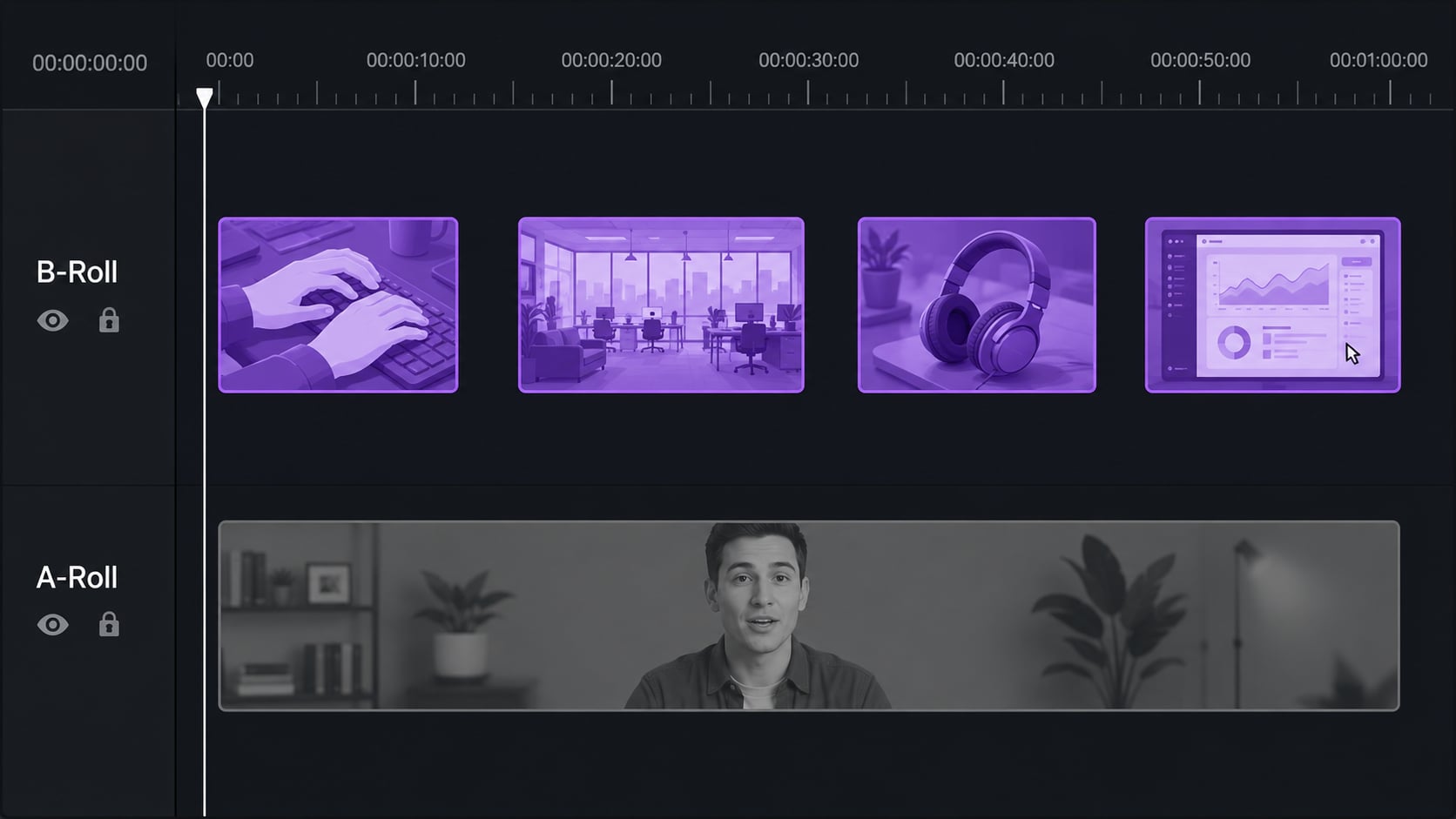
- 2 Place your A-roll on the timeline first. Get the full narrative locked before touching anything else.
- 3 Add B-roll clips on a track above the A-roll. It plays over the narration without affecting the audio.
- 4 Trim and sync to match the pacing. Cut on natural speech pauses or music beats for a clean feel.