
AI captions that
actually look good
and post fast
Upload your video. The AI reads the audio, types every word, and drops it into a caption style that holds attention. Under 10 seconds. No SRT files, no timeline syncing, no 40-minute CapCut sessions.
No credit card required · Free plan available · 100+ languages
300k+
creators captioning with AutoCaption
From solo TikTokers to agency content teams publishing daily.
100+
languages supported
English, Spanish, French, Arabic, Hindi, Japanese and 94 more. Auto-detected.
~10s
average caption generation time
Most videos are fully transcribed and styled before you can open a subtitle editor.
The old way is dead
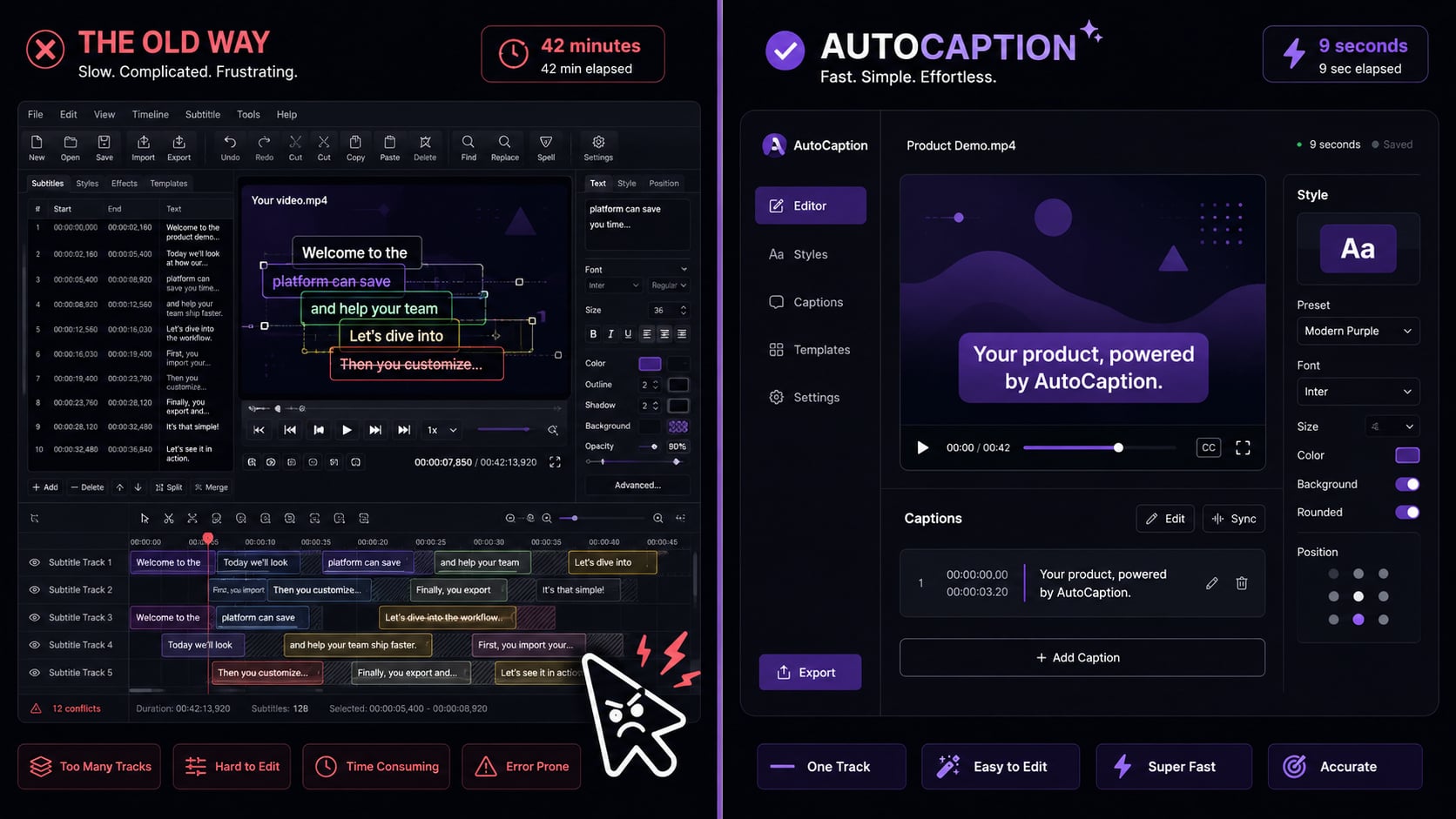
Manual captioning is a 45-minute job for a 60-second video
Edit the video. Open a subtitle tool. Type or paste a transcript. Sync timing word by word. Export an SRT file. Re-import. Realize the formatting looks terrible on mobile. Start over. Sound familiar?
How it works
Three steps. That is it.
Upload your video
30 secondsDrop in any file: MP4, MOV, AVI, MKV, WebM. Up to 4K. Recorded on your phone, exported from Premiere or DaVinci, it all works. AutoCaption reads the rest from the moment it lands.
AI generates styled captions
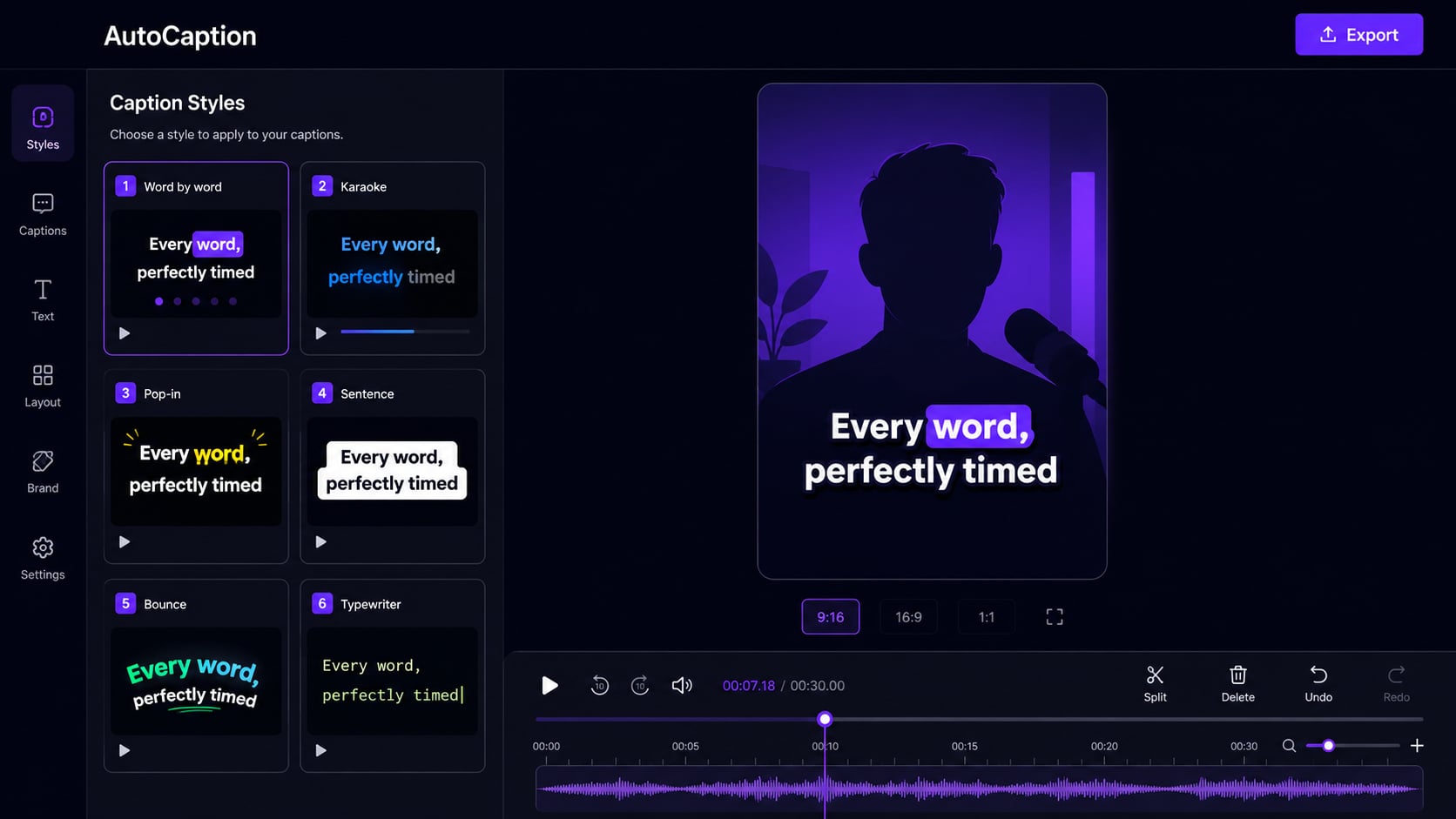
Under 10 secondsThe AI reads your audio and creates perfectly timed captions. Word-by-word animations, karaoke highlights, color emphasis on key phrases. You can adjust anything in the editor, or leave it exactly as generated.
Export and post
InstantDownload the captioned video as an MP4. Captions are burned in and visible on every platform without any extra steps. Optionally export to multiple aspect ratios at once.
Features
Everything the AI does for you
Accurate in 100+ languages
Transcription works in English, Spanish, French, Portuguese, Arabic, Hindi, Japanese, and 93 more. AutoCaption detects the language automatically. No settings to configure. Great if your audience is global or if you post multilingual content.
Animated captions that hold attention
Word-by-word pop-ups, karaoke highlights, and color emphasis. These are the styles that actually keep viewers watching past the 3-second mark.
Full style control
Pick from dozens of presets or build from scratch: font, color, size, position. Save as a reusable template so every video stays on-brand.
Auto-resize for every platform
Upload once. Get a version for TikTok (9:16), YouTube (16:9), Instagram (1:1), and LinkedIn. Captions reposition automatically so nothing gets cut off or covered by the platform UI.
TikTok
9:16
Reels
9:16
YouTube
16:9
1:1
Edit anything before export
The AI gets it right most of the time. When it does not, click any caption and fix it in seconds. No timeline scrubbing.
API for teams at scale
Caption videos programmatically through the AutoCaption API. Plug into your existing workflow without touching the UI.
Who it's for
Built for creators who post daily
If you spend more than 5 minutes adding captions to a video, you are doing it the slow way.
TikTok creators
Post daily without burning hours on captions. Word-by-word style keeps viewers watching through the algorithm-critical first 3 seconds.
Instagram and Reels
85% of social video is watched on mute. Without captions, most of your audience misses your message entirely before moving on.
YouTube and Shorts
Auto-resize and caption in one step. Export for Shorts in 9:16 and long-form in 16:9 from the same upload.
Marketing teams
Caption product videos, demos, and ads at scale. Consistent brand fonts and colors across every piece of content, every time.
FAQ
Common questions
What is an AI caption generator?
An AI caption generator automatically transcribes the audio from your video and creates timed caption overlays. AutoCaption goes further: it applies caption styles, animations, and multi-language support so the output is ready to post, not just a plain SRT file.
How accurate is AutoCaption's AI transcription?
Very accurate for clear audio. It handles most accents and recording conditions well. When the AI misses a word, you click it in the editor and fix it in seconds. Most creators don't need to edit more than a word or two per video.
What video formats does it support?
MP4, MOV, AVI, MKV, and WebM files up to 4K resolution. If it came off your phone or out of your editing software, it works.
Is there a free AI caption generator?
Yes. AutoCaption has a free plan with no credit card required. Paid plans unlock more videos per month, higher export quality, and advanced features like API access and team collaboration.
How long does AI captioning actually take?
Under 10 seconds for most videos under 2 minutes. A 10-minute video typically takes under 2 minutes. No queue waiting on paid plans.
Start for free
Stop spending 40 minutes
on captions
Upload your first video free. No credit card. No software. Captions in under 10 seconds.
✦ Try AutoCaption freeTrusted by 300,000+ creators worldwide