
AutoCaption vs Submagic:
which one is actually
worth your money?
Submagic is a capable AI video tool. But if you just need accurate captions, fast, at a price that makes sense, you are paying for a lot of features you will never touch. This is an honest breakdown of both.
No credit card required · Free plan · 300,000+ creators
Quick verdict
Two tools, same problem, different scope
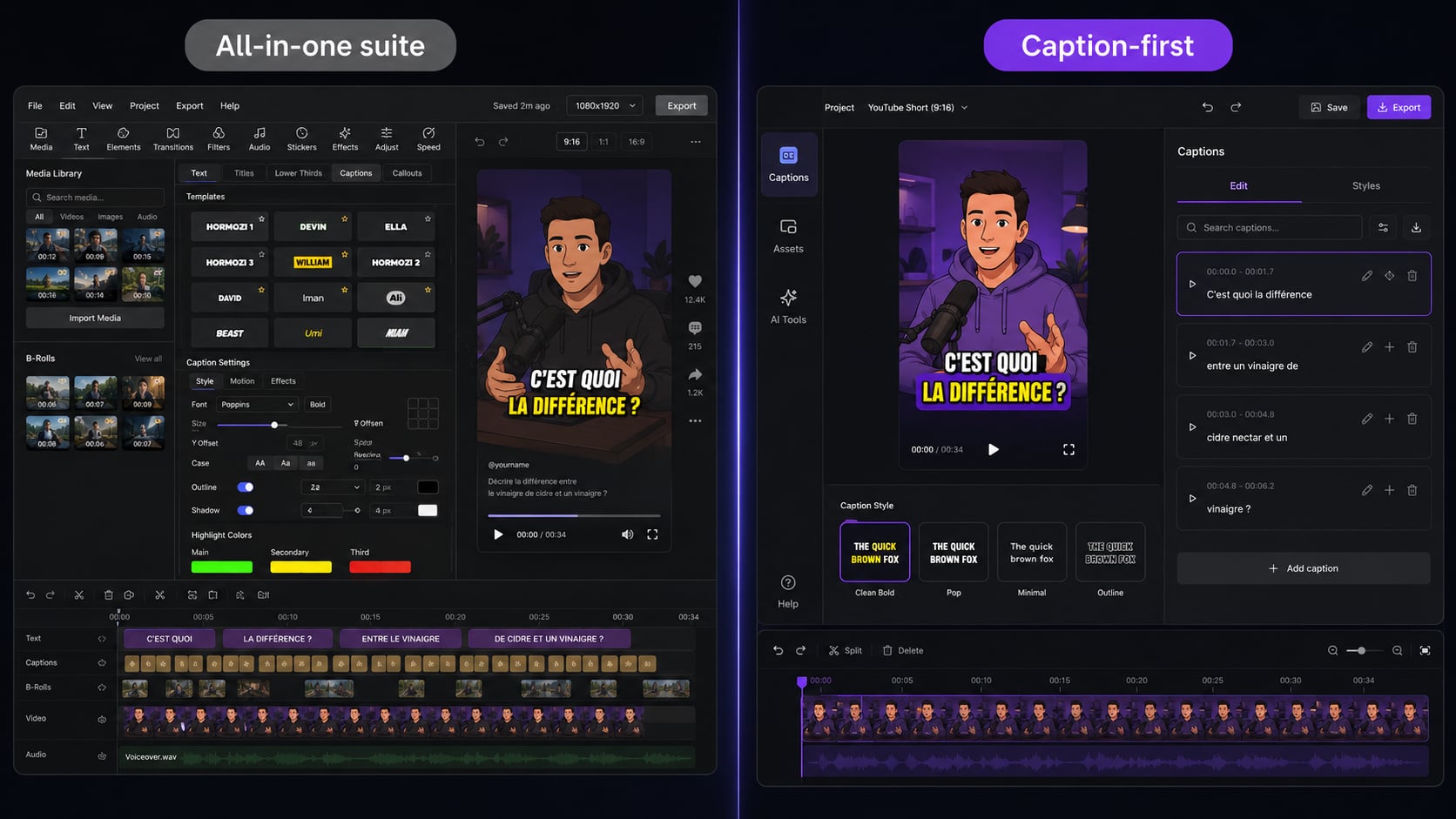
Submagic is a full AI video production suite. AutoCaption is built for one thing: fast, accurate, styled captions. The difference matters when you look at price, learning curve, and how often you actually use the extra features.
Choose Submagic if...
Choose AutoCaption if...
Feature comparison
Side by side
Where each tool wins
The real differences
Caption speed and simplicity
AutoCaption generates captions in under 10 seconds. The editor is built around one job: captions. Upload, review, style, export. That is the whole workflow.
For creators publishing daily, the speed difference compounds. 20 videos per month means meaningful saved hours over a tool with a heavier interface and a broader scope you are not using.
Full AI video production
If you want B-roll, AI voiceovers, full video templates, and captions, all in one place, Submagic is legitimately capable. For agencies producing fully edited short-form content without a separate editor, the all-in-one workflow can make sense.
On pricing: the most important factor for volume creators
Submagic's pricing reflects the broader feature set. You are paying for B-roll, voiceovers, and templates even if you only use the caption feature. AutoCaption prices around the core use case. If you publish a lot of content, that lower entry point adds up to real money over a year. The fastest way to decide: run the same video through both tools and compare the output.
Who gets the most from switching
AutoCaption is the better fit if you are...
A solo creator
You already edit in CapCut, Premiere, or DaVinci. You need captions to be fast and accurate. AutoCaption fits directly into that workflow without adding a second heavy editor.
A content agency
You caption dozens of videos per week. Per-video cost matters. AutoCaption's volume pricing and fast turnaround cut captioning time across the whole team.
A podcaster or educator
Accuracy is everything. AutoCaption's editor makes corrections fast, and the 100+ language support means you can localize content without a separate transcription tool.
A social media manager
You post to TikTok, Reels, Shorts, and LinkedIn. AutoCaption exports optimized for every format and lets you apply consistent brand caption styles across every video in seconds.
FAQ
AutoCaption vs Submagic: questions
Is AutoCaption cheaper than Submagic?
AutoCaption's paid plans start lower than Submagic's entry tier. Submagic's pricing reflects a broader suite: B-roll, voiceovers, templates. If captions are the core need, you end up paying for features you are not using.
How does AutoCaption compare to Submagic for TikTok captions?
Both generate animated captions for vertical video. AutoCaption focuses on captions specifically, which means faster output and more caption style control. Submagic layers captions into a fuller production workflow.
Can I switch from Submagic to AutoCaption?
Yes. Same video formats, free to start. Upload a video you normally run through Submagic, compare the caption output, and decide. Takes under 5 minutes.
Does AutoCaption support the same caption styles as Submagic?
AutoCaption covers word-by-word, karaoke highlight, pop-in, and sentence styles: the formats that perform best on social. It does not have the full template library Submagic has, but caption-specific styles are well-covered.
Try before you decide
Captions in under 10 seconds.
Free to try.
Upload your first video free. No credit card, no commitment.
✦ Start with AutoCaption freeTrusted by 300,000+ creators worldwide